Before being officially released rumors had been swirling about the capabilities of Anthropic’s latest model release, Mythos. The name was apt, almost all news surrounding the product indicated it would be their most popular AI model ever, particularly in the cyber security space. Headlines contained dramatic phrasing such as the model was “too dangerous” to be released, with insider leaks insisting that the model may never see the light of day due to what it means for the cybersecurity sector in particular. With old exploitable bugs and new allegedly being discovered by the model with relative ease.
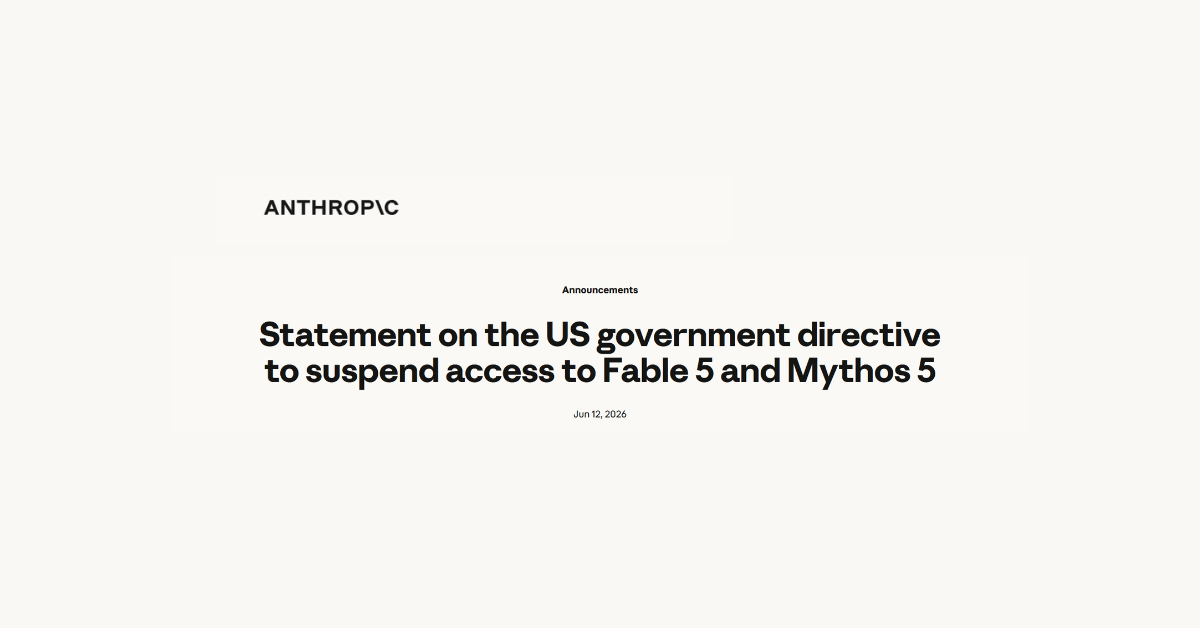
That’s why it surprised everyone when the model, alongside Fable 5 were released on June 9th. While Mythos was still limited to only vetted government agencies and limited private sector partners, Fable 5 was released to the entire user base at no additional cost. The test run was supposed to last until June 22nd, allowing users to experience the new model and provide feedback before the full release at a yet to be determined time.
Users rushed to test the new model immediately and feedback was mixed as it often is with new AI model releases, with many users immediately declaring it was their best and most powerful model yet. Software engineers on Reddit pointed out that the model fixed bugs Opus 4.8 had failed to identify, and hobbyists found the tasks they had it tackle were accomplished quickly with more robust outcomes. Users were also a fan of the model’s general demeanor and how it got straight to the point (a far cry from previous models where users were frustrated by how “sycophantic” the responses could be).
There were limitations however, Fable 5 was specifically restricted in certain areas with attempts to use the model for searches related to biologics and cybersecurity in particular hitting a wall where the model would automatically block the request and switch to Opus 4.8 to answer.
Users were sometimes able to get around these roadblocks by wording their prompts differently or effectively “jailbreaking” the model. Amazon reported that they fed the model open-source software code with known and intentionally planted security flaws. If they asked it to just “review the code” it would refuse, but when they changed the prompt for it to “fix the code” it complied.
Amazon’s report is allegedly what ultimately lead to the government issuing a veto on the product, cutting the testing window short and access was removed from all users on June 12th, 2026.
The future of Fable 5 is currently in limbo, with the government declaring the model a supply chain risk and declaring it cannot be used outside of the US (which is difficult to verify). As of writing Anthropic is currently weighing their options, including considering ID verification as a potential workaround.
This news also comes amid the ever-growing urgency for AI behemoths to prove that their business models are viable, and release their IPOs. SpaceX made news this week releasing their own IPO at an initial stock price of $135 per share. Between capability and viability, AI model creators are walking a tight rope to cement what the future holds for their business.
We don’t know for sure when Fable 5 will return but there are rumors that access will be returned as soon as possible, with some predictions leaning towards a July 1st re-release date if Anthropic is able to meet compliance with current government requirements for the model.
At Valley Techlogic, staying on top of advancements and news in the AI space is just one component of the value we provide our customers as they navigate the ever evolving technology landscape. If you would like us to work with your business as you create and manage AI strategies and other technology solutions learn more today with a free consultation.
A recent report claimed that an anonymous company accidentally spent $500 million on Anthropic’s Claude in a single month after failing to put usage limits on employee access.
That number is absurd. For most small businesses, it sounds so far removed from reality that it is easy to laugh it off and move on, but that would be the wrong lesson.
The point is not that your business is going to wake up tomorrow with a half-billion-dollar AI bill. The point is that AI has introduced a new kind of business risk: fast-moving, employee-driven, poorly governed software usage that can create cost, security, compliance, and operational problems before leadership even knows what is happening.
Small businesses do not need a Fortune 500 AI budget to make Fortune 500 AI mistakes. They just make them at a smaller scale, and sometimes a smaller mistake hurts more because there is less financial room to absorb it.
AI adoption is moving faster than AI strategy, your employees are already using AI. They are using ChatGPT, Claude, Copilot, Gemini, browser extensions, AI note takers, AI writing tools, coding assistants, image generators, meeting bots, inbox assistants, and whatever else promises to save them time.
Some of this is good. AI can absolutely improve productivity. It can help write first drafts, summarize documents, review contracts, organize meeting notes, analyze spreadsheets, draft client communications, troubleshoot technical problems, and speed up repetitive work.
The problem is not AI usage, the problem is unmanaged AI usage.
Many businesses are still treating AI as a novelty or a personal productivity tool, while employees are already treating it like infrastructure. That gap is where the risk lives.
If employees are using AI tools without clear rules, approved platforms, data handling guidance, spending controls, and accountability, the business has not adopted AI strategically. It has simply allowed AI to spread.
That is not a strategy. That is drift. The reported Claude incident is a perfect example of what happens when access is confused with strategy.
Giving employees access to powerful AI tools can be valuable, but access alone does not answer the most important questions.
Who is allowed to use the tool? What business problems should it be used for? What data is allowed to go into it? What data is prohibited? Who owns the output? How is usage monitored? How are costs capped? How do we measure whether this is actually helping?
Without answers to those questions, at best AI becomes another unmanaged business expense. At worse, it becomes an unmanaged business process.
That matters because modern AI tools are not like traditional software subscriptions. A normal SaaS tool usually has a predictable monthly cost per user. AI can be different. Depending on the platform, plan, API model, agentic workflow, integrations, automation, and volume of usage, costs can scale quickly. The more powerful the workflow, the more important governance becomes.
This is especially true with AI agents and coding assistants. These tools do not just answer one question and stop. They can perform multi-step tasks, generate large amounts of output, run repeated analysis, review codebases, process documents, or interact with other systems. That can be useful, but it also means the cost and risk can grow quietly in the background.
For a small business, the danger is not a $500 million invoice. The danger is paying for tools no one is managing, letting sensitive data leak into platforms that were never approved, relying on AI-generated work no one reviews, or building business processes around accounts the company does not control.
Some businesses will hear stories like this and decide the safest move is to block AI entirely. That is understandable, but it is usually not realistic. If AI tools help employees do their jobs faster, people will find ways to use them. If the business does not provide an approved path, employees may create their own path. That is how shadow IT happens. The better approach is not panic, it is governance.
AI governance does not need to be complicated. For most small businesses, it should start with practical controls that match the size of the company. A good small business AI strategy should include:
Approved AI tools and platforms
Clear rules for what data can and cannot be entered
Spending limits and usage monitoring
Role-based access for employees
Human review for important AI-generated work
Policies for client data, financial data, health data, legal documents, credentials, and confidential information
A process for evaluating new AI tools before employees start using them
A way to measure whether AI is saving time, improving quality, or reducing cost
That last point is critical. AI should not be adopted because it is exciting. It should be adopted because it solves a real business problem.
If an AI tool saves five hours per week, improves response times, helps generate better proposals, reduces administrative work, or improves customer service, that is useful. If it creates more subscriptions, more confusion, more risk, and more low-quality output, it is not innovation. It is clutter.
Cost control is only one part of the strategy, the Claude story is dramatic because the dollar amount is dramatic. But for small businesses, cost is only one part of the AI risk picture. The bigger issue may be data control. Employees may paste client emails, contracts, tax documents, HR issues, financial records, passwords, source code, internal strategy, vendor disputes, or customer lists into AI tools without realizing the consequences.
That does not mean every AI platform is unsafe. Some enterprise AI platforms provide stronger privacy, security, and data handling protections than consumer-grade tools. But the business needs to know which tools are being used and under what terms. This is where small businesses need to be honest with themselves. If employees are using free personal AI accounts to process company information, the company probably does not have enough visibility or control.
That creates real questions.
Where is the data going?
Is it being used for model training?
Can the company audit usage?
Can access be revoked when an employee leaves?
Is multifactor authentication enforced?
Are files being uploaded?
Are browser extensions reading sensitive pages?
Are AI meeting bots recording confidential conversations?
These are not theoretical concerns. They are the same kinds of basic governance questions businesses already ask about email, file sharing, password managers, CRMs, and accounting systems. AI should be treated with the same seriousness. A small business does not need to start with a grand AI transformation plan. It should start with a simple question: Where can AI safely and measurably improve the business?
That might mean using AI to draft marketing content, summarize long documents, build internal SOPs, assist with help desk responses, analyze sales data, improve customer communication, or speed up research. Start with real use cases. Then match the tool to the use case. Then apply controls.
A practical AI rollout might look like this:
Identify the top three repetitive tasks employees spend too much time on.
Choose one approved AI platform for business use.
Define what data is allowed and prohibited.
Set user access, billing limits, and administrative ownership.
Train employees on safe and effective usage.
Review results after 30 to 60 days.
That is not flashy, but it works. The goal is not to use AI everywhere. The goal is to use AI where it produces value without creating unnecessary risk. AI should be managed like any of your other business systems. The biggest mistake small businesses can make is treating AI as something outside normal IT and business management. It is not.
AI touches identity, security, compliance, finance, operations, HR, sales, marketing, customer service, and intellectual property. That means it needs ownership. Someone needs to be responsible for deciding which tools are approved, how accounts are managed, how data is protected, how employees are trained, how spending is reviewed, and how the business measures results. For many small businesses, that responsibility should involve leadership, IT, and whoever owns the affected business process.
For example, marketing should help define AI use in content creation. Finance should care about billing and invoice-related AI usage. HR should care about employee data. IT should care about access, security, logging, and data protection. Leadership should care about the overall business value. AI is too powerful to be left entirely to individual preference.
The reported $500 million Claude bill is not just a story about one company’s lack of spending controls. It is a warning about what happens when AI adoption outruns AI management. Small businesses should not avoid AI. That would be shortsighted, but they should also not let AI creep into the business through personal accounts, unmanaged tools, unclear policies, and uncapped spending. The right approach is controlled adoption.
Use AI. Encourage experimentation. Look for productivity gains. But put guardrails in place. Decide which tools are approved. Protect sensitive data. Set spending limits. Train employees. Review usage. Measure outcomes. Keep humans responsible for important decisions. AI can be a real advantage for small businesses, especially the ones willing to use it thoughtfully. But like every powerful tool, it needs rules.
The companies that get this right will not be the ones that blindly chase every new AI feature. They will be the ones that build AI into their business with discipline, security, and a clear purpose. That is the lesson small businesses should take from the Claude story. AI without strategy is just another unmanaged expense. AI with strategy can become an advantage. At Valley Techlogic, we can be your strategic partner as you roll out AI in your business and help prevent costly mistakes like the one in this article. Learn more today with a consultation.
We use cookies to improve your experience on our site. By using our site, you consent to cookies.
Cookie Preferences
Manage your cookie preferences below:
Essential cookies enable basic functions and are necessary for the proper function of the website.
Name
Description
Duration
Cookie Preferences
This cookie is used to store the user's cookie consent preferences.
30 days
Bing, powered by Microsoft, is a search engine providing web, image, video, and map search capabilities.
Name
Description
Duration
_uetvid
1 Year
KievRPSAuth
Helps to authenticate you when you sign in with your Microsoft account.
5 years
ANON
Contains the A, a unique identifier derived from your Microsoft account, which is used for advertising, personalization, and operational purposes. It is also used to preserve your choice to opt out of interest-based advertising from Microsoft if you have chosen to associate the opt-out with your Microsoft account.
1 year
MSFPC
Identifies unique web browsers visiting Microsoft sites. These cookies are used for advertising, site analytics, and other operational purposes.
1 year
_uetsid
This cookie is used by Bing to determine what ads should be shown that may be relevant to the end user perusing the site.
30 minutes
_uetvid
This is a cookie utilised by Microsoft Bing Ads and is a tracking cookie. It allows us to engage with a user that has previously visited our website.
16 days
ANONCHK
Used to store session ID for a users session to ensure that clicks from adverts on the Bing search engine are verified for reporting purposes and for personalisation
10 minutes
CC
Contains a country code as determined from your IP address.
1 year
PPAuth
Helps to authenticate you when you sign in with your Microsoft account.
5 years
MSPAuth
Helps to authenticate you when you sign in with your Microsoft account.
5 years
MSNRPSAuth
Helps to authenticate you when you sign in with your Microsoft account.
5 years
brcap
Microsoft Microsoft Online Authentication Cookie
1 year
x-ms-gateway-slice
Identifies a gateway for load balancing.
End of session (browser)
ToptOut
Records your decision not to receive interest-based advertising delivered by Microsoft.
1 year
ACH01
Maintains information about which ad and where the user clicked on the ad.
End of session (browser)
AADSSO
Microsoft Microsoft Online Authentication Cookie
End of session (browser)
MR
Used to collect information for analytics purposes.
6 months
MUID
Identifies unique web browsers visiting Microsoft sites. These cookies are used for advertising, site analytics, and other operational purposes.
1 year
MUIDB
Identifies unique web browsers visiting Microsoft sites. These cookies are used for advertising, site analytics, and other operational purposes.
1 year
MC1
Identifies unique web browsers visiting Microsoft sites. These cookies are used for advertising, site analytics, and other operational purposes.
1 year
MS0
Identifies a specific session.
End of session (browser)
_UR
This cookie is used by the Bing advertising network for advertising tracking purposes.
1 year
NAP
Contains an encrypted version of your country, postal code, age, gender, language and occupation, if known, based on your Microsoft account profile.
1 year
MH
Appears on co-branded sites where Microsoft is partnering with an advertiser. This cookie identifies the advertiser, so the right ad is selected.
End of session (browser)
childinfo
Contains information that Microsoft account uses within its pages in relation to child accounts.
5 years
kcdob
Contains information that Microsoft account uses within its pages in relation to child accounts.
5 years
kcrelid
Contains information that Microsoft account uses within its pages in relation to child accounts.
5 years
kcru
Contains information that Microsoft account uses within its pages in relation to child accounts.
5 years
pcfm
Contains information that Microsoft account uses within its pages in relation to child accounts.
5 years
_HPVN
Analysis service that connects data from the Bing advertising network with actions performed on the website.
1 year
MC0
Detects whether cookies are enabled in the browser.
End of session (browser)
_RwBf
This cookie helps us to track the effectiveness of advertising campaigns on the Bing advertising network.
1 year
MSPProf
Helps to authenticate you when you sign in with your Microsoft account.
5 years
SRM_B
Collected user data is specifically adapted to the user or device. The usercan also be followed outside of the loaded website, creating a picture of the visitor's behavior.
1 year
WLSSC
Helps to authenticate you when you sign in with your Microsoft account.
5 years
MSPTC
This cookie registers data on the visitor. The information is used to optimize advertisement relevance.
1 year
ACLUSR
This cookie is used for advertisement tracking purposes.
1 year
ACL
This cookie is used for advertisement tracking purposes.
3 months
OIDR
This cookie is used by the Bing advertising network for advertising tracking purposes.
3 months
OID
This cookie is used by the Bing advertising network for advertising tracking purposes.
3 months
OIDI
This cookie is used by the Bing advertising network for advertising tracking purposes.
3 months
BCP
This cookie is used for advertisement tracking purposes.
1 year
BFBUSR
This cookie is used for advertisement tracking purposes.
1 year
BFB
This cookie is used for advertisement tracking purposes.
1 year
Google Analytics is a powerful tool that tracks and analyzes website traffic for informed marketing decisions.
Used to monitor number of Google Analytics server requests when using Google Tag Manager
1 minute
_gid
ID used to identify users for 24 hours after last activity
24 hours
_ga_
ID used to identify users
2 years
_gali
Used by Google Analytics to determine which links on a page are being clicked
30 seconds
_ga
ID used to identify users
2 years
__utmx
Used to determine whether a user is included in an A / B or Multivariate test.
18 months
__utmv
Contains custom information set by the web developer via the _setCustomVar method in Google Analytics. This cookie is updated every time new data is sent to the Google Analytics server.
2 years after last activity
__utmz
Contains information about the traffic source or campaign that directed user to the website. The cookie is set when the GA.js javascript is loaded and updated when data is sent to the Google Anaytics server
6 months after last activity
__utmc
Used only with old Urchin versions of Google Analytics and not with GA.js. Was used to distinguish between new sessions and visits at the end of a session.
End of session (browser)
__utmb
Used to distinguish new sessions and visits. This cookie is set when the GA.js javascript library is loaded and there is no existing __utmb cookie. The cookie is updated every time data is sent to the Google Analytics server.
30 minutes after last activity
_gac_
Contains information related to marketing campaigns of the user. These are shared with Google AdWords / Google Ads when the Google Ads and Google Analytics accounts are linked together.
90 days
__utma
ID used to identify users and sessions
2 years after last activity
__utmt
Used to monitor number of Google Analytics server requests
10 minutes
Hotjar is a powerful analytics tool that helps you understand user behavior through heatmaps and session recordings.
Name
Description
Duration
_hjSessionUser_1849187
1 Year
_hjShownFeedbackMessage
This cookie is set when a visitor minimizes or completes Incoming Feedback. This is done so that the Incoming Feedback will load as minimized immediately if they navigate to another page where it is set to show.
365 days
_hjMinimizedTestersWidgets
Hotjar cookie. This cookie is set once a visitor minimizes a Recruit User Testers widget. It is used to ensure that the widget stays minimizes when the visitor navigates through your site.
365 days
_hjDoneTestersWidgets
Hotjar cookie. This cookie is set once a visitor submits their information in the Recruit User Testers widget. It is used to ensure that the same form does not re-appear if it has already been filled in.
365 days
_hjMinimizedPolls
Hotjar cookie. This cookie is set once a visitor minimizes a Feedback Poll widget. It is used to ensure that the widget stays minimizes when the visitor navigates through your site.
365 days
_hjDonePolls
Hotjar cookie. This cookie is set once a visitor completes a poll using the Feedback Poll widget. It is used to ensure that the same poll does not re-appear if it has already been filled in.
365 days
_hjClosedSurveyInvites
Hotjar cookie. This cookie is set once a visitor interacts with a Survey invitation modal popup. It is used to ensure that the same invite does not re-appear if it has already been shown.
365 days
_hjCookieTest
This cookie checks to see if the Hotjar Tracking Code can use cookies. If it can, a value of 1 is set.
Session
_hjUserAttributesHash
User Attributes sent through the Hotjar Identify API are cached for the duration of the session in order to know when an attribute has changed and needs to be updated.
session
_hjCachedUserAttributes
This cookie stores User Attributes which are sent through the Hotjar Identify API, whenever the user is not in the sample. These attributes will only be saved if the user interacts with a Hotjar Feedback tool.
session
_hjLocalStorageTest
This cookie is used to check if the Hotjar Tracking Script can use local storage. If it can, a value of 1 is set in this cookie. The data stored in_hjLocalStorageTest has no expiration time, but it is deleted immediately after creating it so the expected storage time is under 100ms.
-
_hjid
Hotjar cookie. This cookie is set when the customer first lands on a page with the Hotjar script. It is used to persist the random user ID, unique to that site on the browser. This ensures that behavior in subsequent visits to the same site will be attributed to the same user ID.
365 days
hj_visitor
hotjar uses cookies to enhance the user’s experience on our website, for example to complete forms, navigating the site, and identify returning users and offer related content. Users can control the use of cookies at the individual browser level.
Session
_hjIncludedInSample
Hotjar cookie. This session cookie is set to let Hotjar know whether that visitor is included in the sample which is used to generate funnels.
365 days
_hjHasCachedUserAttributes
This cookie sets when a user first lands on a page. Persists the Hotjar User ID which is unique to that site. Hotjar does not track users across different sites. Ensures data from subsequent visits to the same site are attributed to the same user ID.
365 days
_hjSessionRejected
If present, this cookie will be set to 1 for the duration of a user’s session, if Hotjar rejected the session from connecting to our WebSocket due to server overload. This cookie is only applied in extremely rare situations to prevent severe performance issues.
session
_hjIncludedInSessionSample
This cookie is set to let Hotjar know whether that visitor is included in the data sampling defined by your site's daily session limit
30 minutes
_hjSession_
A cookie that holds the current session data. This ensues that subsequent requests within the session window will be attributed to the same Hotjar session.
30 minutes
_hjSessionUser_
Hotjar cookie that is set when a user first lands on a page with the Hotjar script. It is used to persist the Hotjar User ID, unique to that site on the browser. This ensures that behavior in subsequent visits to the same site will be attributed to the same user ID.
365 days
_hjSessionTooLarge
Causes Hotjar to stop collecting data if a session becomes too large. This is determined automatically by a signal from the WebSocket server if the session size exceeds the limit.
session
_hjSessionResumed
A cookie that is set when a session/recording is reconnected to Hotjar servers after a break in connection.
session
hjViewportId
This cookie stores user viewport details such as size and dimensions.
Session
_hjSessionStorageTest
This cookie checks if the Hotjar Tracking Code can use Session Storage. If it can, a value of 1 is set.
Session
_hjTLDTest
When the Hotjar script executes we try to determine the most generic cookie path we should use, instead of the page hostname. This is done so that cookies can be shared across subdomains (where applicable). To determine this, we try to store the _hjTLDTest cookie for different URL substring alternatives until it fails. After this check, the cookie is removed.
session
_hjIncludedInPageviewSample
This cookie is set to let Hotjar know whether that visitor is included in the data sampling defined by your site's page view limit.
30 minutes
_hjFirstSeen
The cookie is set so Hotjar can track the beginning of the user's journey for a total session count. It does not contain any identifiable information.
30 minutes
_hjAbsoluteSessionInProgress
The cookie is set so Hotjar can track the beginning of the user's journey for a total session count. It does not contain any identifiable information.
30 minutes
_hjptid
This cookie is set for logged in users of Hotjar, who have Admin Team Member permissions. It is used during pricing experiments to show the Admin consistent pricing across the site.
session
Statistics cookies collect information anonymously. This information helps us understand how visitors use our website.
Google Analytics is a powerful tool that tracks and analyzes website traffic for informed marketing decisions.
Used by Google Analytics to determine which links on a page are being clicked
30 seconds
_gid
ID used to identify users for 24 hours after last activity
24 hours
_gat
Used to monitor number of Google Analytics server requests when using Google Tag Manager
1 minute
_gac_
Contains information related to marketing campaigns of the user. These are shared with Google AdWords / Google Ads when the Google Ads and Google Analytics accounts are linked together.
90 days
__utmx
Used to determine whether a user is included in an A / B or Multivariate test.
18 months
__utmv
Contains custom information set by the web developer via the _setCustomVar method in Google Analytics. This cookie is updated every time new data is sent to the Google Analytics server.
2 years after last activity
__utmz
Contains information about the traffic source or campaign that directed user to the website. The cookie is set when the GA.js javascript is loaded and updated when data is sent to the Google Anaytics server
6 months after last activity
__utmc
Used only with old Urchin versions of Google Analytics and not with GA.js. Was used to distinguish between new sessions and visits at the end of a session.
End of session (browser)
__utmb
Used to distinguish new sessions and visits. This cookie is set when the GA.js javascript library is loaded and there is no existing __utmb cookie. The cookie is updated every time data is sent to the Google Analytics server.
30 minutes after last activity
__utmt
Used to monitor number of Google Analytics server requests
10 minutes
__utma
ID used to identify users and sessions
2 years after last activity
Hotjar is a powerful analytics tool that helps you understand user behavior through heatmaps and session recordings.
Name
Description
Duration
_hjShownFeedbackMessage
This cookie is set when a visitor minimizes or completes Incoming Feedback. This is done so that the Incoming Feedback will load as minimized immediately if they navigate to another page where it is set to show.
365 days
_hjMinimizedTestersWidgets
Hotjar cookie. This cookie is set once a visitor minimizes a Recruit User Testers widget. It is used to ensure that the widget stays minimizes when the visitor navigates through your site.
365 days
_hjDoneTestersWidgets
Hotjar cookie. This cookie is set once a visitor submits their information in the Recruit User Testers widget. It is used to ensure that the same form does not re-appear if it has already been filled in.
365 days
_hjMinimizedPolls
Hotjar cookie. This cookie is set once a visitor minimizes a Feedback Poll widget. It is used to ensure that the widget stays minimizes when the visitor navigates through your site.
365 days
_hjDonePolls
Hotjar cookie. This cookie is set once a visitor completes a poll using the Feedback Poll widget. It is used to ensure that the same poll does not re-appear if it has already been filled in.
365 days
_hjClosedSurveyInvites
Hotjar cookie. This cookie is set once a visitor interacts with a Survey invitation modal popup. It is used to ensure that the same invite does not re-appear if it has already been shown.
365 days
_hjIncludedInSample
Hotjar cookie. This session cookie is set to let Hotjar know whether that visitor is included in the sample which is used to generate funnels.
365 days
hj_visitor
hotjar uses cookies to enhance the user’s experience on our website, for example to complete forms, navigating the site, and identify returning users and offer related content. Users can control the use of cookies at the individual browser level.
Session
_hjid
Hotjar cookie. This cookie is set when the customer first lands on a page with the Hotjar script. It is used to persist the random user ID, unique to that site on the browser. This ensures that behavior in subsequent visits to the same site will be attributed to the same user ID.
365 days
_hjHasCachedUserAttributes
This cookie sets when a user first lands on a page. Persists the Hotjar User ID which is unique to that site. Hotjar does not track users across different sites. Ensures data from subsequent visits to the same site are attributed to the same user ID.
365 days
_hjSessionResumed
A cookie that is set when a session/recording is reconnected to Hotjar servers after a break in connection.
session
hjViewportId
This cookie stores user viewport details such as size and dimensions.
Session
_hjSessionStorageTest
This cookie checks if the Hotjar Tracking Code can use Session Storage. If it can, a value of 1 is set.
Session
_hjTLDTest
When the Hotjar script executes we try to determine the most generic cookie path we should use, instead of the page hostname. This is done so that cookies can be shared across subdomains (where applicable). To determine this, we try to store the _hjTLDTest cookie for different URL substring alternatives until it fails. After this check, the cookie is removed.
session
_hjCookieTest
This cookie checks to see if the Hotjar Tracking Code can use cookies. If it can, a value of 1 is set.
Session
_hjUserAttributesHash
User Attributes sent through the Hotjar Identify API are cached for the duration of the session in order to know when an attribute has changed and needs to be updated.
session
_hjCachedUserAttributes
This cookie stores User Attributes which are sent through the Hotjar Identify API, whenever the user is not in the sample. These attributes will only be saved if the user interacts with a Hotjar Feedback tool.
session
_hjLocalStorageTest
This cookie is used to check if the Hotjar Tracking Script can use local storage. If it can, a value of 1 is set in this cookie. The data stored in_hjLocalStorageTest has no expiration time, but it is deleted immediately after creating it so the expected storage time is under 100ms.
-
_hjSessionTooLarge
Causes Hotjar to stop collecting data if a session becomes too large. This is determined automatically by a signal from the WebSocket server if the session size exceeds the limit.
session
_hjSessionRejected
If present, this cookie will be set to 1 for the duration of a user’s session, if Hotjar rejected the session from connecting to our WebSocket due to server overload. This cookie is only applied in extremely rare situations to prevent severe performance issues.
session
_hjSessionUser_
Hotjar cookie that is set when a user first lands on a page with the Hotjar script. It is used to persist the Hotjar User ID, unique to that site on the browser. This ensures that behavior in subsequent visits to the same site will be attributed to the same user ID.
365 days
_hjSession_
A cookie that holds the current session data. This ensues that subsequent requests within the session window will be attributed to the same Hotjar session.
30 minutes
_hjIncludedInSessionSample
This cookie is set to let Hotjar know whether that visitor is included in the data sampling defined by your site's daily session limit
30 minutes
_hjIncludedInPageviewSample
This cookie is set to let Hotjar know whether that visitor is included in the data sampling defined by your site's page view limit.
30 minutes
_hjFirstSeen
The cookie is set so Hotjar can track the beginning of the user's journey for a total session count. It does not contain any identifiable information.
30 minutes
_hjAbsoluteSessionInProgress
The cookie is set so Hotjar can track the beginning of the user's journey for a total session count. It does not contain any identifiable information.
30 minutes
_hjptid
This cookie is set for logged in users of Hotjar, who have Admin Team Member permissions. It is used during pricing experiments to show the Admin consistent pricing across the site.
session
Marketing cookies are used to follow visitors to websites. The intention is to show ads that are relevant and engaging to the individual user.
Beamer is a presentation software that enables users to create engaging, interactive slideshows for diverse audiences.
Name
Description
Duration
_BEAMER_USER_ID_DjYMYPMX42643
1 Year
_BEAMER_LAST_UPDATE_DjYMYPMX42643
1 Year
_BEAMER_LAST_POST_SHOWN_DjYMYPMX42643
1 year
_BEAMER_FIRST_VISIT_DjYMYPMX42643
-
_BEAMER_FIRST_VISIT_
Set by Beamer (hotjar.com) to store the date of the user’s first interaction with insights.
3000 days
_BEAMER_USER_ID_
Set by Beamer (hotjar.com) to store an internal ID for a user.
300 days
_BEAMER_DATE_
Set by Beamer (hotjar.com). Stores the latest date in which the feed or page was opened.
300 days
_BEAMER_LAST_POST_SHOWN_
Set by Beamer (hotjar.com). Stores the timestamp for the last time the number of unread posts was updated for the user.
300 days
_BEAMER_FILTER_BY_URL_
This cookie is set by Beamer to store whether to apply URL filtering on the feed
20 minutes
Facebook Pixel is a web analytics service that tracks and reports website traffic.